
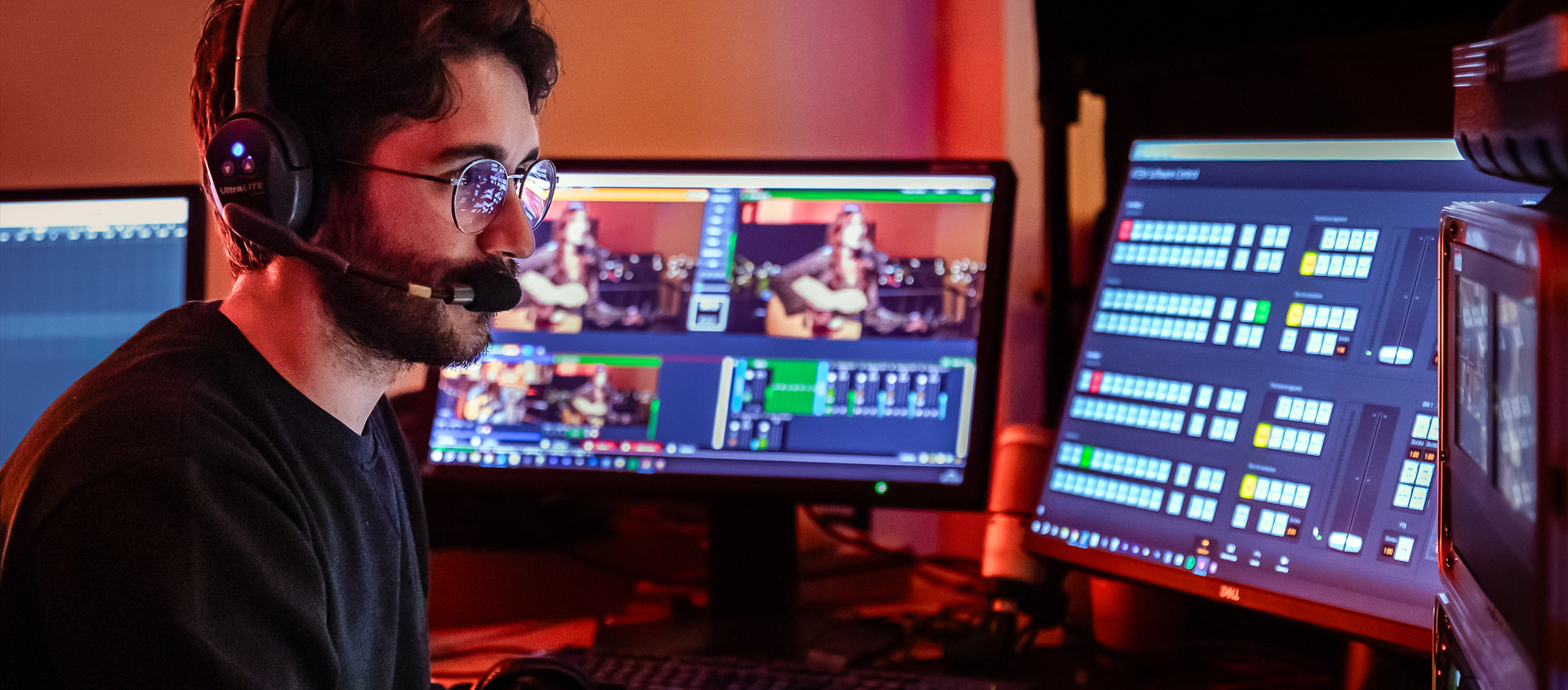
I direct and stream webinars, conventions, congresses, conferences, interviews and corporate events with the quality of a television broadcast. I have been working in Milan and across Northern Italy since 2014. The multicamera feed goes on air together with your speakers’ slides, to Zoom, Teams, YouTube or a private platform, and at the same time to the LED walls and screens in the room. Audio is handled entirely by the sound engineers I work with, from the microphones to the final mix. The live programme is always recorded, and with the Complete setup every camera and every audio channel is also kept as a separate file for later editing. The whole system, hardware and software, is tested thoroughly before every event. For online events with no audience in the room, the broadcast goes out from my studio in Milan.
Corporate conventions
Plenary sessions, management talks and award ceremonies filmed with several cameras and streamed live to connected offices or remote employees, with the slides on air next to the speakers.
Congresses and conferences
Long sessions, tight schedules, speakers taking turns at the table and the lectern. The control room follows the programme and records everything, to publish in full or one talk at a time.
Press conferences and presentations
Short events where everything has to start on time: live cameras, slides controlled by the speakers on the screen in the room and an audience joining on Zoom, as for the Sarpom press conference.
Product launches
The product on stage and in close-up, graphics and video inserts, streamed to YouTube, LinkedIn or a private platform and to the LED walls in the room.
Hybrid events
An audience in the room and participants online in the same broadcast: remote speakers appear on the screens in the room and talk with the stage, while the stream goes to Zoom or Teams.
Webinars
Speakers in the studio or connected remotely through Teams, Zoom or vMix Call, shared slides, graphics and lower thirds. With no audience in the room, the broadcast goes out from my studio in Milan.
How I work
An event needs careful planning, and from the first contact to the delivery of the recordings everything is handled by me and my team, in line with what the client needs. That preparation is also how unexpected situations are handled: the recurring ones are known and the system is set up to absorb them with the timing already worked out, whether a talk runs long, a guest is added or a slide has to be replaced at the last minute. What looks like a surprise is almost always a scenario already planned for.
Planning and coordination
Every event starts days before: running order, timing and technical setup are agreed with the client. On the morning of the setup everyone finds a detailed plan, with a role for each person.
One point of contact
If the event needs sound, lighting or staging that I do not provide directly, I contact, hire and coordinate those suppliers so that everything works together. You talk to me and do not have to get three different suppliers to agree.
Logistics
Permits, transport, loading times, rentals and parking for the vans. These are the things that ruin a day when nobody thinks about them, and I take care of them in advance with the venue.
Site visit
When needed I visit the room beforehand: space, power, internet connection, cable routes, safety rules. Everything is recorded and passed on to the production, so nothing is left to discover during the broadcast.
Technical setup
Setup starts hours before going on air and ends with the tests: connection, platforms, microphones, remote guests and the signals to the monitors and the room’s sound system. Everything is checked before the audience comes in.
Speaker support
Every speaker is followed during the tests and fitted with a microphone by the sound engineers, with the audio balanced for both the stream and the room. Slide clickers are tested and speakers get all the help they need before the event.
The team
Sound engineers, camera operators and technicians I have worked with for years. Every role has more than one qualified person, so if someone cannot make it the event still goes ahead with the same method and the same people in charge.
Delivery
At the end of the event I deliver the recording, ready to put online. With the Complete setup the individual camera files follow in the next days, ready for new edits, highlights and vertical clips for social media.
Archive
The footage stays on my NAS for six months after the event at no extra cost. Longer storage can be arranged for a small fee. During those months any clip can be retrieved the same day.
The production system
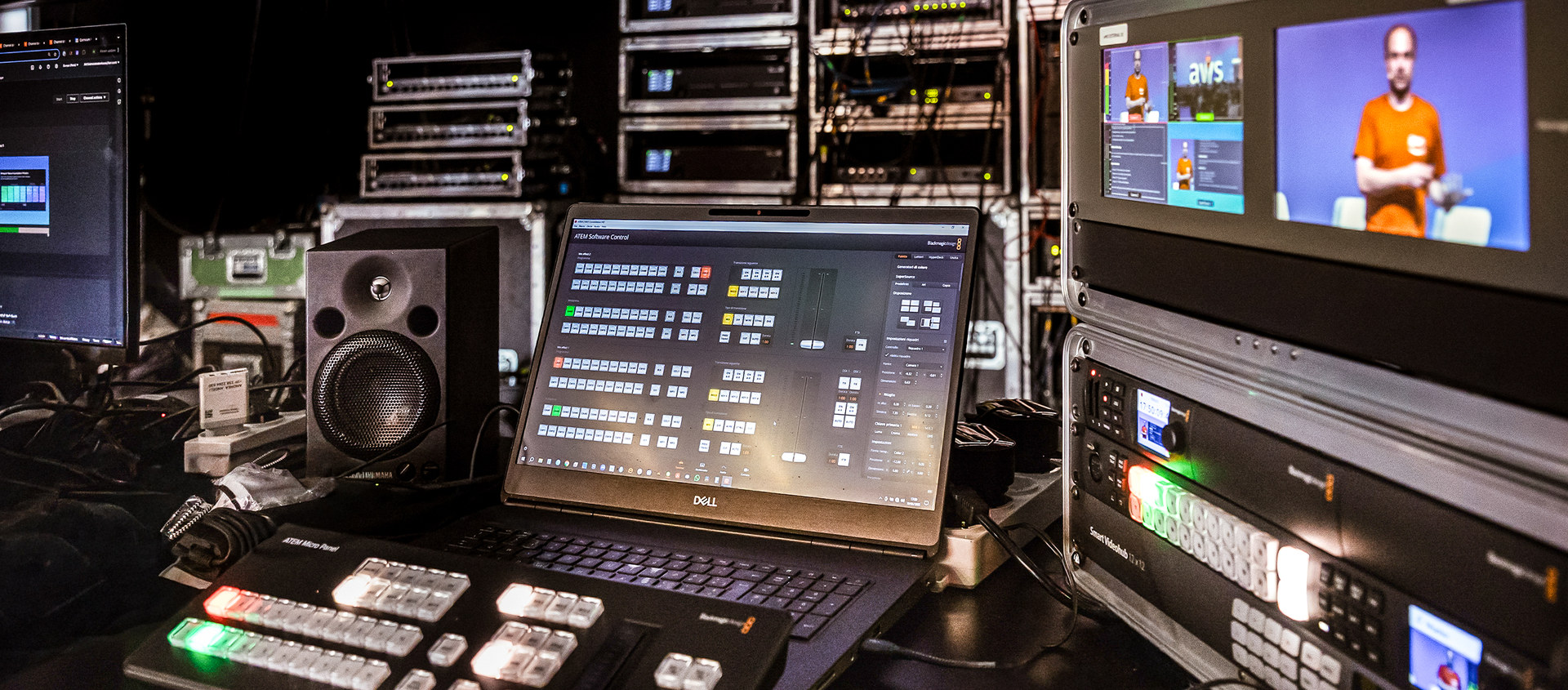
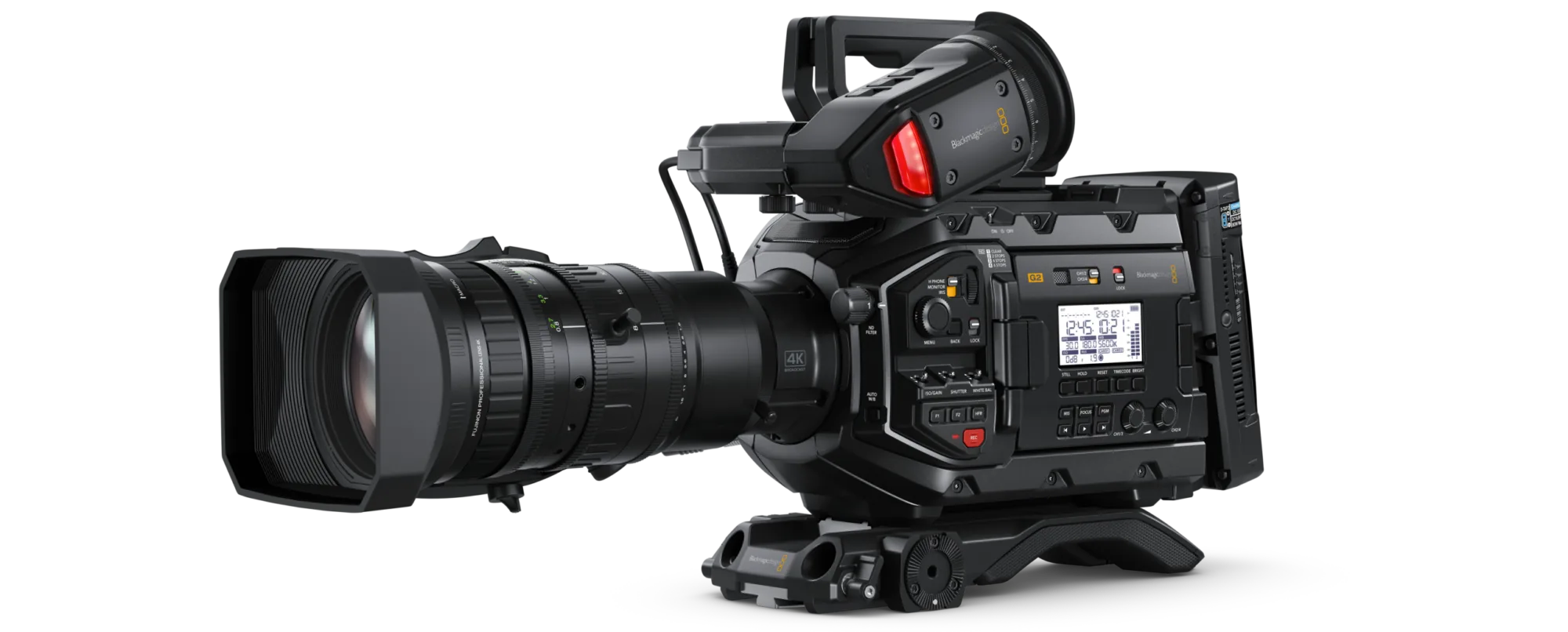
A production holds up when every component does one job and has been proven over time, and that is the rule I follow at every event. I use several high-end computers, each with a single task: sending the signal to Zoom, Teams or the streaming platforms, running lower thirds and graphics, capturing and recording every camera on a separate file, feeding the LED walls in the room and the speakers’ confidence monitors. A dedicated recorder keeps the full programme separately, exactly as the online audience sees it. And backups are an obsession of mine. Reliability is built: it has a cost and it pays back in peace of mind for the client and for the production.
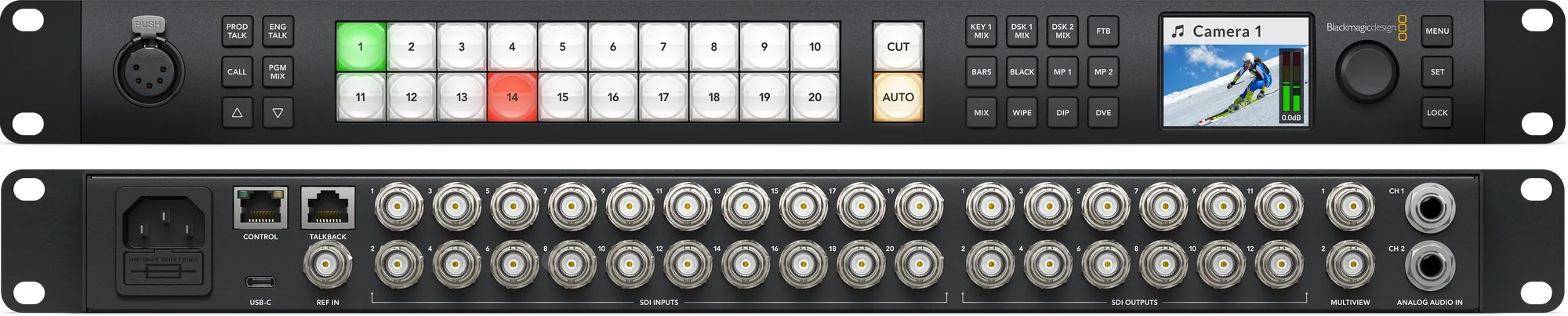
Blackmagic ATEM Constellation 2 M/E video switcher for the most demanding live events, with twenty inputs and twelve programmable outputs for routing signals to LED walls, screens and other destinations. Maximum flexibility and compatibility with all professional audio and video equipment.
Broadcast recording
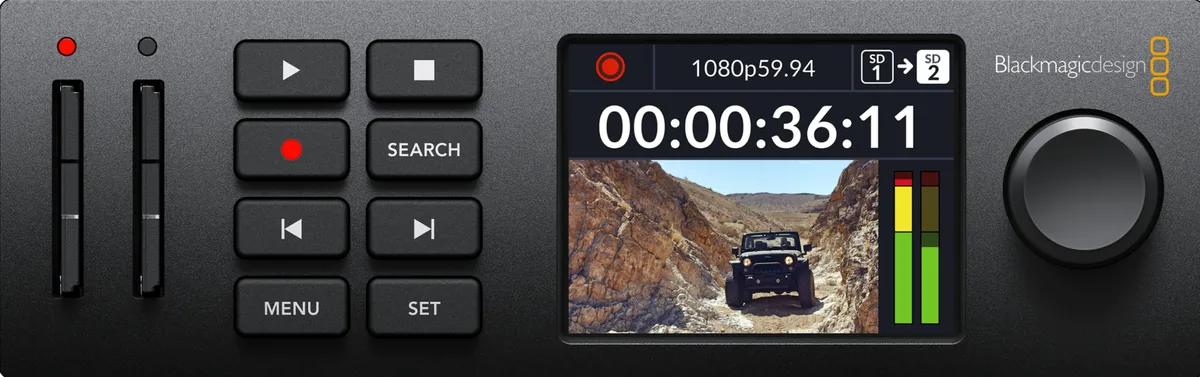
The HyperDeck Studio recorder is connected to the ATEM switcher and captures the programme feed, with the camera cuts and the graphics overlays. Its broadcast recording formats are compatible with HD television, interlaced or progressive.
Graphics overlays
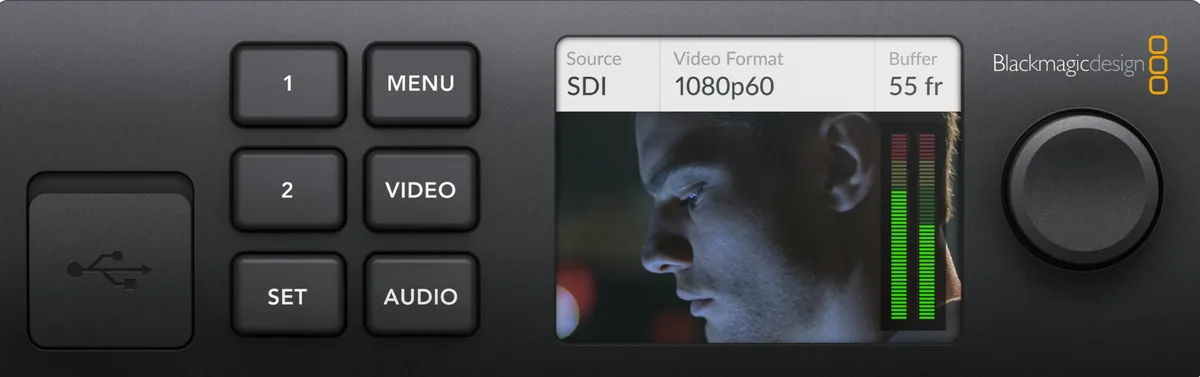
During a live broadcast the graphics overlays have to be managed: lower thirds, logos and anything else the broadcast needs. They run on an UltraStudio driven by a dedicated computer, which sends them to the ATEM’s downstream keyer.
4K streaming
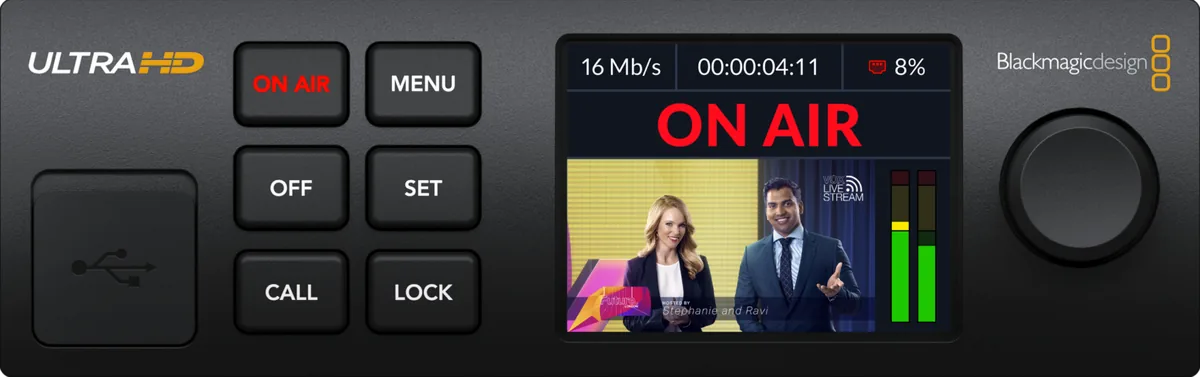
Leaving the encoding and transmission of the stream to dedicated hardware such as the Blackmagic Streaming Encoder is a guarantee of reliability. This encoder can also send the signal in 4K, for better quality on YouTube.
A data network dedicated to the production
Every audiovisual production needs its own internal data network to manage and control all the equipment, and here too the reliability of switches and routers cannot be left to chance. For my productions I rely on the Netgear AV Line series, a reference for the modern audiovisual industry.

ASUS C-422 / ASUS X-299 Rack Workstation

My system includes two rack workstations built on ASUS X-299 and C-422 platforms, both fitted with Blackmagic DeckLink 8K Pro or DeckLink Quad 4K cards to capture and route video signals. Built specifically for this kind of work, they integrate with the rest of the Blackmagic equipment to handle even the most demanding events. The full list of equipment, spaces and crew is in the technical sheet of the live control room (in Italian).
Three typical setups
Every event has a different weight and there is no point in bringing more equipment than it needs. These three setups cover most requests: you pick the closest one and add what is missing.
Essential
Standard
Complete
Video
Multicamera direction
Multicamera direction
Multicamera direction
Multicamera direction
Programme recording
Programme recording
Programme recording
Programme recording
PowerPoint presentations
PowerPoint presentations
PowerPoint presentations
PowerPoint presentations
Multicamera recording, one file per camera
Multicamera recording, one file per camera
Multicamera recording, one file per camera
Multicamera recording, one file per camera
Graphics and lower thirds
Graphics and lower thirds
Graphics and lower thirds
Graphics and lower thirds
Remote guests
Remote guests
Remote guests
Remote guests
Streaming to Zoom and Teams
Streaming to Zoom and Teams
Streaming to Zoom and Teams
Streaming to Zoom and Teams
Streaming to several destinations (YouTube, LinkedIn, Facebook)
Streaming to several destinations (YouTube, LinkedIn, Facebook)
1Streaming to several destinations (YouTube, LinkedIn, Facebook)
3Streaming to several destinations (YouTube, LinkedIn, Facebook)
6Camera operators
Camera operators
Camera operators
1Camera operators
3Audio
Sound engineer
Sound engineer
Sound engineer
Sound engineer
Stereo audio recording L+R
Stereo audio recording L+R
Stereo audio recording L+R
Stereo audio recording L+R
Multitrack audio recording
Multitrack audio recording
Multitrack audio recording
Multitrack audio recording
Audio editing and mastering
Audio editing and mastering
Audio editing and mastering
Audio editing and mastering
Additional services
Professionals
Camera operators
Zoom and Teams operator
Make-up artists
Network technician
Event photographer
Event videographer
Services
Event video report
Dedicated audio post-production
Simultaneous translation and transcription
Lighting for interviews
Photographic lighting
Confidence monitors for speakers
Rentals
Video equipment
Audio equipment
LED walls and room monitors
Furniture and costumes
BrightNET Hub for Ideas, at the Lombardy Region headquarters in Milan. Three cameras, one with an operator, audio mixer with sound engineer, slides sent to the room monitors and audio to the room’s sound system. Multitrack recording.
Sarpom press conference. Three cameras, one with an operator, audience joining on Zoom and slides controlled by the speakers, sent live together with the cameras and to the screen in the room.

Frequently asked questions
How many cameras does an event need?
It depends on the room and on what people watching online need to see. For a conference with speakers at a table and slides on air, three cameras are often enough, one of them with an operator: that was the setup for BrightNET at the Lombardy Region headquarters and for the Sarpom press conference. A large stage or a lot of movement needs more, up to eight. The right number is decided together, after a site visit or from the floor plan.
Can you do a light setup for a small event?
Yes. The Essential setup is designed for events where there is no point in bringing more equipment than needed. It includes multicamera direction, programme recording, slides, graphics with lower thirds and streaming to Zoom or Teams. Even in the lightest version the team is at least three people, because a live broadcast cannot depend on one person.
What is the difference between streaming and recording?
The control room is the same: cameras, audio and slides go through the video switcher and are recorded in any case. With a live stream the programme also goes out in real time to Zoom, Teams, YouTube or a private platform. You can also record only, with no stream: you get the full programme ready to publish at the end of the event, and with the Complete setup the individual camera files as well. Later editing is quoted separately, depending on how complex it is.
How do remote speakers and hybrid events work?
Remote speakers connect through Teams, Zoom or vMix Call and are tested before the event just like those in the room. They appear live together with the slides and on the screens in the room, so the audience in the room and online follow the same broadcast. All the details are on the remote webcast page.
What do you need in the room?
Enough power sockets, a fibre internet connection if there is a live stream, a table for the control room, even a shallow one, and safe routes for the camera cables. When needed I visit the room beforehand to check space, power, connection and cable routes. The full list is in the technical sheet (in Italian).
What do I get after the event?
At the end of the event you get the recording, ready to put online. With the Complete setup the individual camera files follow in the next days, ready for edits, highlights and vertical clips for social media. The footage stays archived for six months at no extra cost.
Do you work for event agencies and AV companies?
Yes. Event agencies, conference organisers and AV production companies call me when one of their events needs a director or an extra technician: video direction, speaker slides, room audio. I work as part of their team, with my own equipment or theirs. The client relationship stays with the agency: I send the quote to them, and on site I introduce myself as part of their production.
What does the price depend on?
On the number of cameras and operators, the length of the event and the setup hours, the number of streaming destinations, remote guests and additional services such as custom graphics, lighting, LED walls, translation or editing. Events outside Milan include travel expenses. The three typical setups — Essential, Standard and Complete — are the starting point: you pick the closest one and add what is missing. Quotes are free, and all I need is the type of event, the date and the venue.
Request a quote
For a free quote fill in the form below with the type of event, the date and the venue, and I will get back to you as soon as possible. You can also call, text or WhatsApp me on +39 338 2264630 during opening hours — Monday to Friday 9:00–13:00 and 14:30–19:00, Saturday 9:00–13:00, Italian time — or write to info[at]angeliandrea.it. My studio is in Milan, in the Navigli district, and I work across Northern Italy. All my details are on the contact page, and if your event has remote speakers the remote webcast page explains how it works.